
X2Notion Documentation
Follow these steps to sync your X/Twitter tweets and bookmarks to Notion in a few minutes.
- 1
Install the Extension
Open the Chrome Web StoreClick the button below to open the X2Notion page on the Chrome Web Store, then click "Add to Chrome" (on Edge, click "Allow" in the prompt).
After installing, the X2Notion icon appears in your browser toolbar — click it to open the side panel.
- 2
Open the Extension and Click "Copy Template"
Click the X2Notion icon to open the side panel on the right.
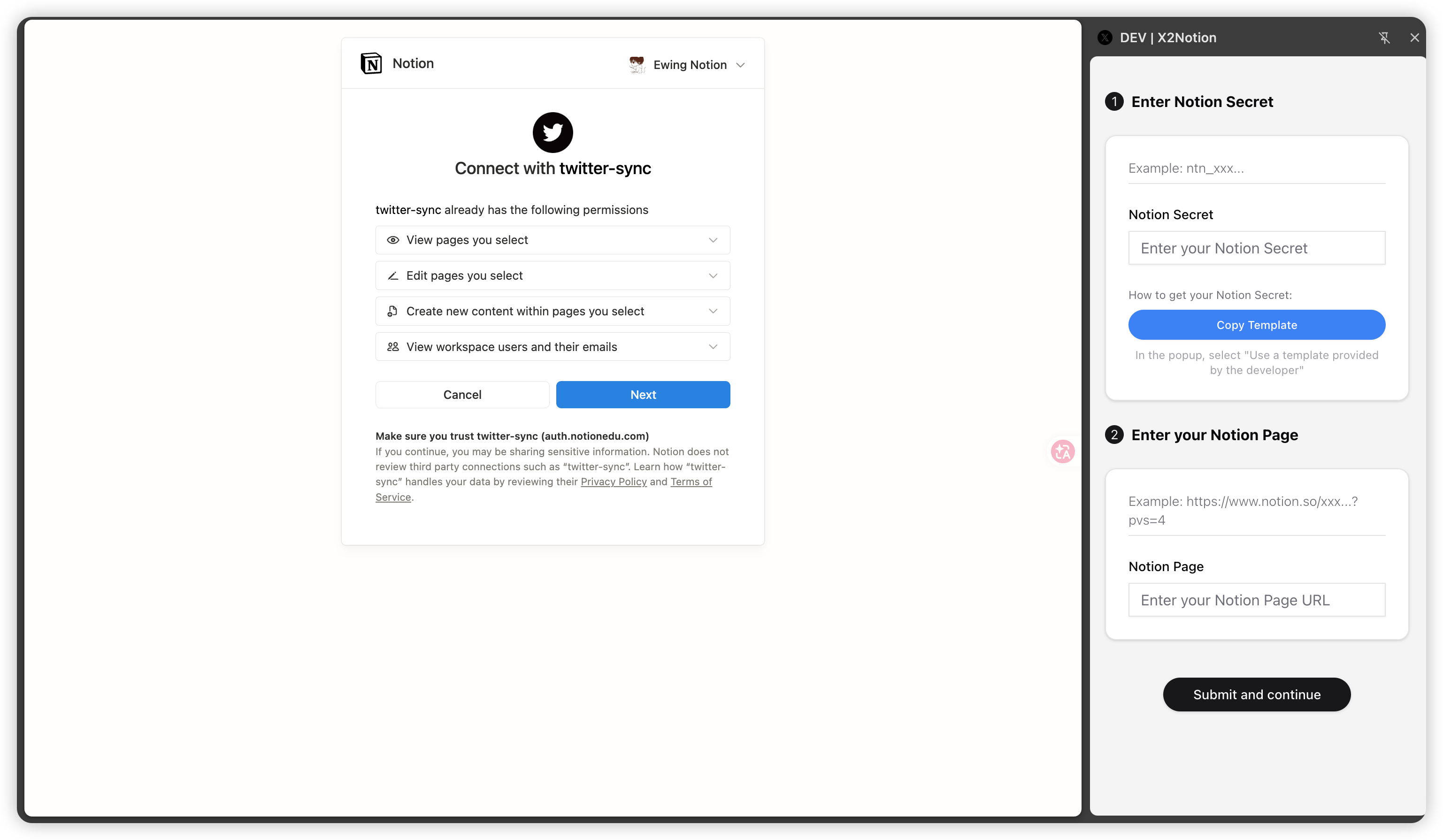
In the "② Notion Secret" section, click "Copy Template (Recommended)". A Notion authorization window pops up — no need to create an Integration manually.
- 3
Authorize Notion and Save the Template
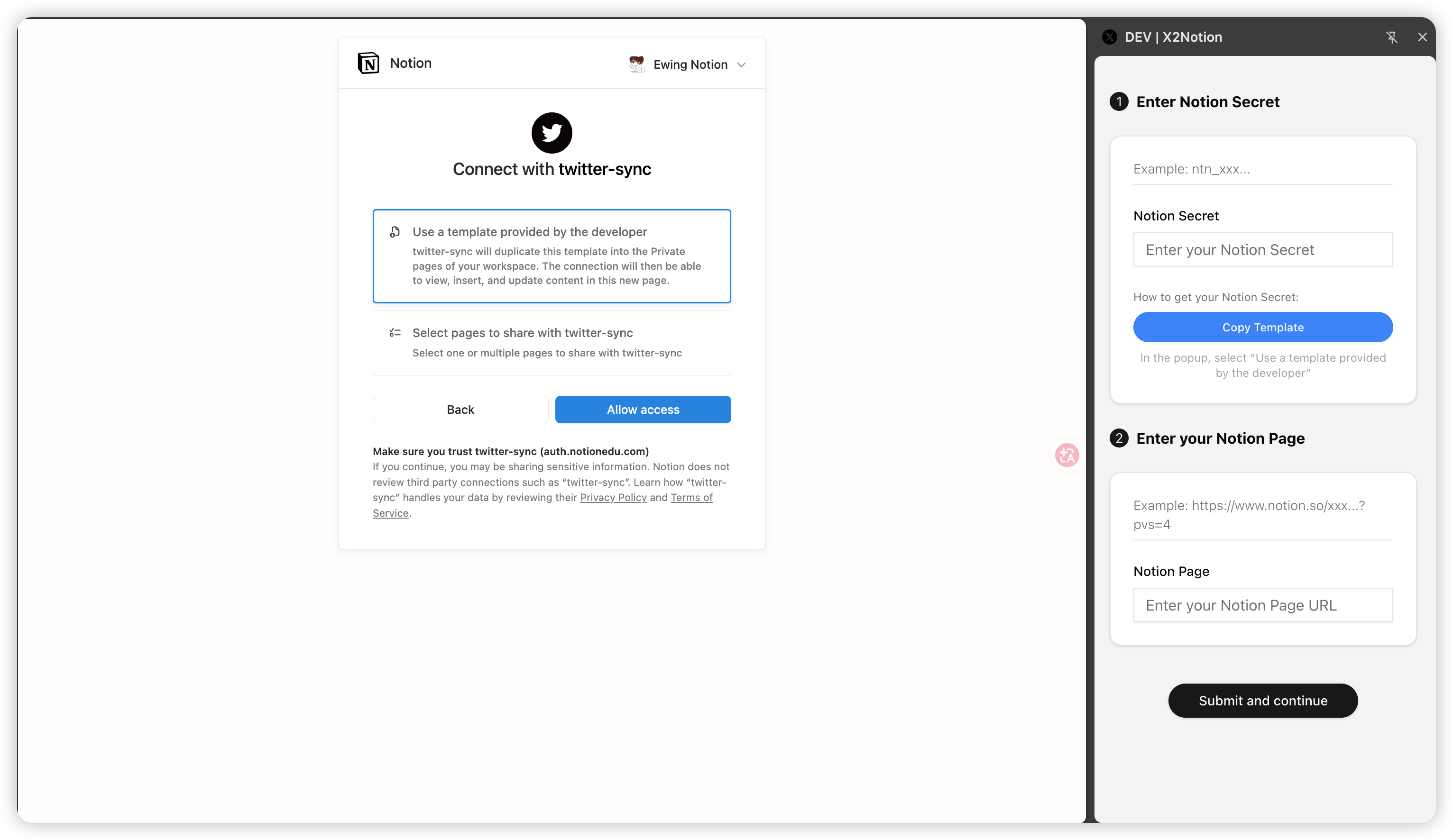
In the "Connect" window, choose "Use a template provided by the developer", then click "Allow access".
The official "X/Twitter Knowledge Base" template is duplicated into your workspace (Tweets, Bookmarks, Tag, Category databases). Please don't rename them or change their fields.
- 4
Copy Your Notion Secret & Page Back to the Extension
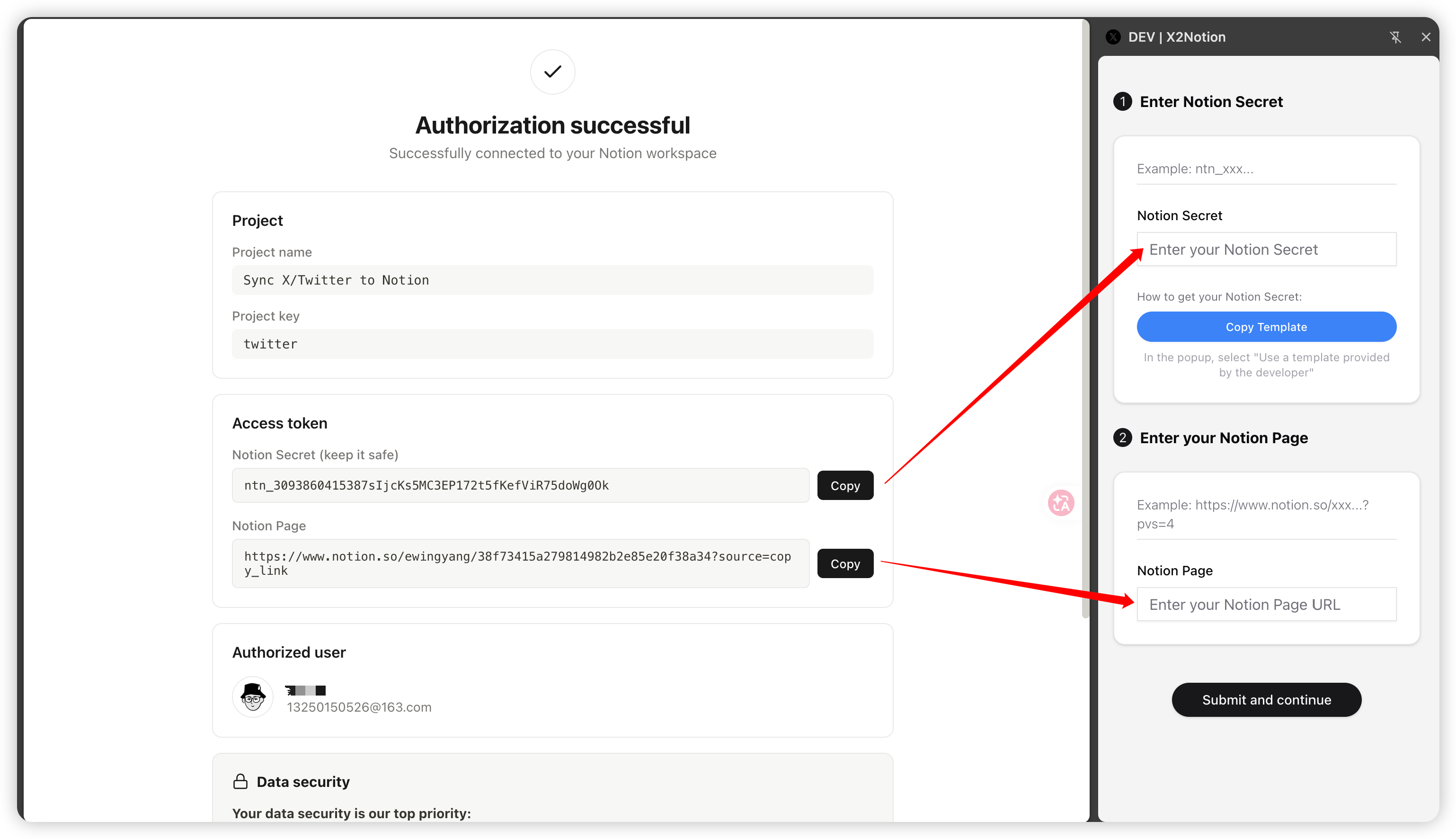
On the success page, copy the Notion Secret (token) and the Notion Page link.
Paste them into the "Notion Secret" and "Notion Page" fields in the extension, then click "Submit & Continue".
- 5
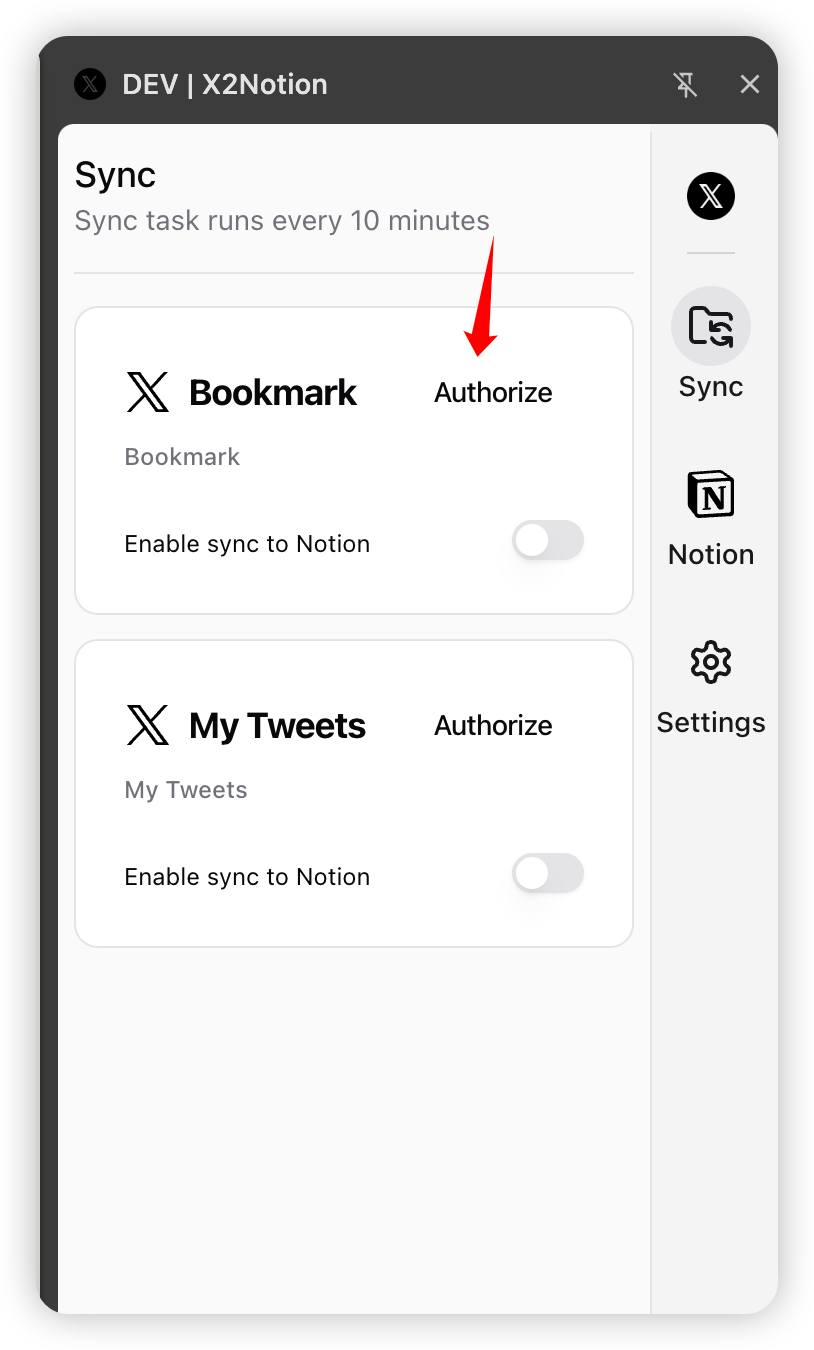
Log In to Your X/Twitter Account
Make sure you are logged in to X/Twitter (x.com) in the same browser and the tab is open.
The extension reads your current X session locally to fetch your tweets and bookmarks — no password is ever sent anywhere.
- 6
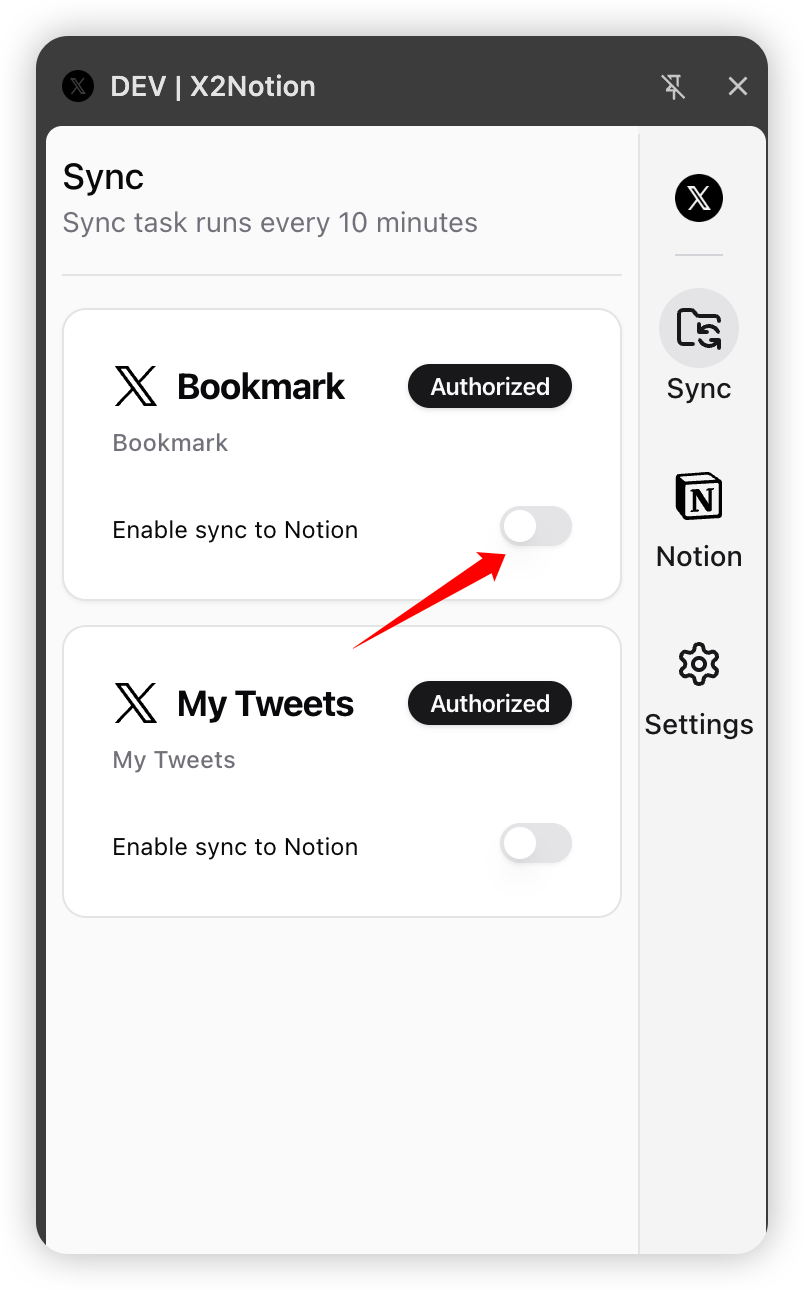
Enable Sync
In the "Sync" panel, turn on the "Enable sync to Notion" toggle for Bookmarks and/or My Tweets.
The first run syncs your history; after that new items sync incrementally about every 10 minutes. Watch progress live in the Notion databases.
- 7
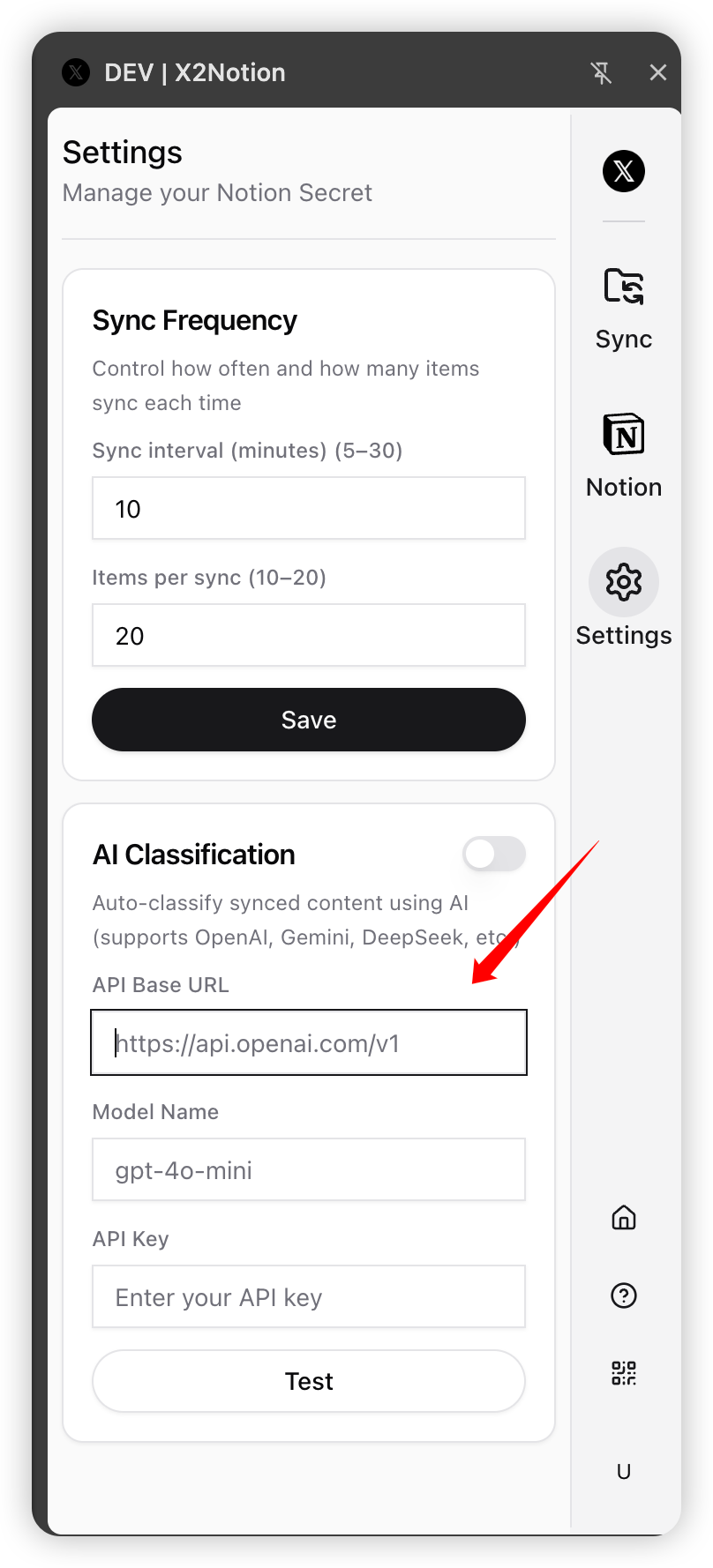
(Optional) Set Up AI Classification
AI auto-classification & tagging requires your own LLM API key (OpenAI, Gemini, DeepSeek, Qwen, or any compatible endpoint).
Enter the API URL, key, and model in "Settings" and enable it — it uses your own API key, no purchase required.
Tip: first add your categories to the "Category" database in Notion. The clearer and more distinct the category names, the more accurate the AI classification.
- 8
Unlock Unlimited with an Auth Code
Buy a Lifetime Auth CodeThe free trial covers 10 syncs. After that, buy a lifetime auth code on the pricing page.
Enter the auth code in step "① Auth Code" of the extension to permanently unlock unlimited sync.
Tips
- •One auth code permanently unlocks unlimited sync; it binds to your Notion account on first use.
- •Syncing runs locally in your browser. The extension never uploads your X session or Notion Secret to any third-party server.
- •If sync acts up, confirm you are logged in to X/Twitter and that the Notion template hasn't been altered, then check the "FAQ" on the home page.